
Copy your cards and cameras to disk.
Checksum-verified, never duplicated.
A macOS app for offloading SD cards, cameras, drones, action cams, and USB drives to your disk. Every copied file is checksum-verified, and cards you've already imported are recognized automatically so nothing is copied twice.
🧪 In closed beta on macOS (Apple Silicon). Version 1.0 follows once the beta wraps up.
Checksum Verification
Every copied file is verified against its source with a checksum (BLAKE3, XxHash3, SHA-256, or CRC32) before it's marked as done.
Recognizes Your Cards
Identifies cards and cameras it has seen before by hardware identity and file hash, so already-copied content isn't re-imported.
Source Left Untouched Until Verified
Nothing is removed from the card until every destination copy has passed its checksum check — clearing space is always optional and manual.
No Account, No Cloud
Runs entirely on your Mac. No sign-up, no upload — files go straight from card to disk.
Smart Import & Smart Copy
Designed from the ground up for photographers, video creators, drone operators, and anyone who needs a reliable file transfer with checksums to back it up.
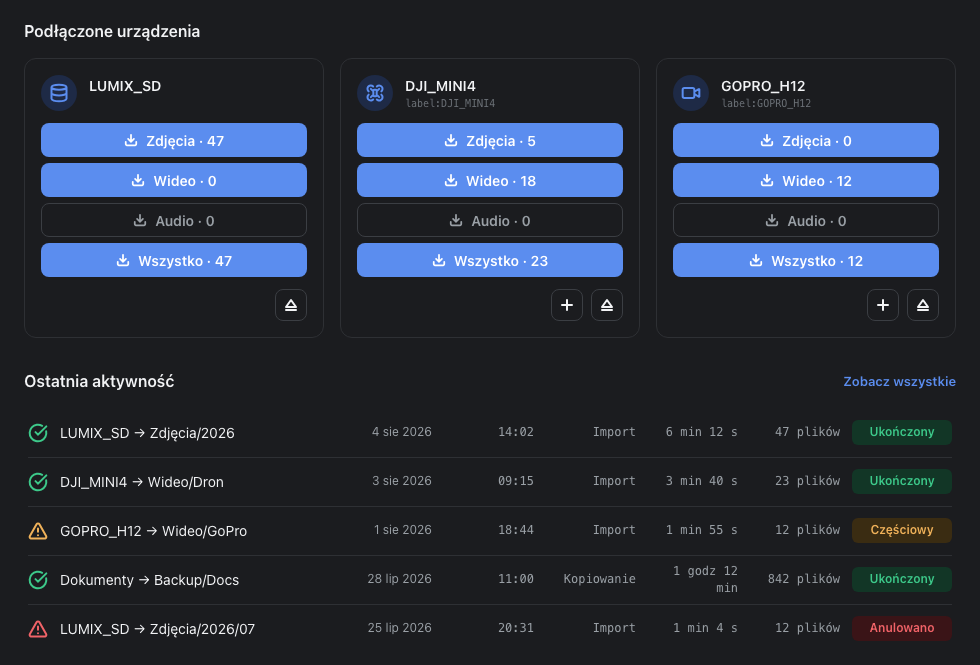
Plug in a card — see everything in an instant
Jaybit Copy automatically detects connected SD readers, USB drives, cameras, action cams (GoPro, DJI), drones, and audio players based on their hardware identity.
- Media breakdown into Photos / Video / Audio on clear device cards.
- Single-click Import All button for full card offloading.
- Quick preview of the last 5 tasks with direct access to full History.
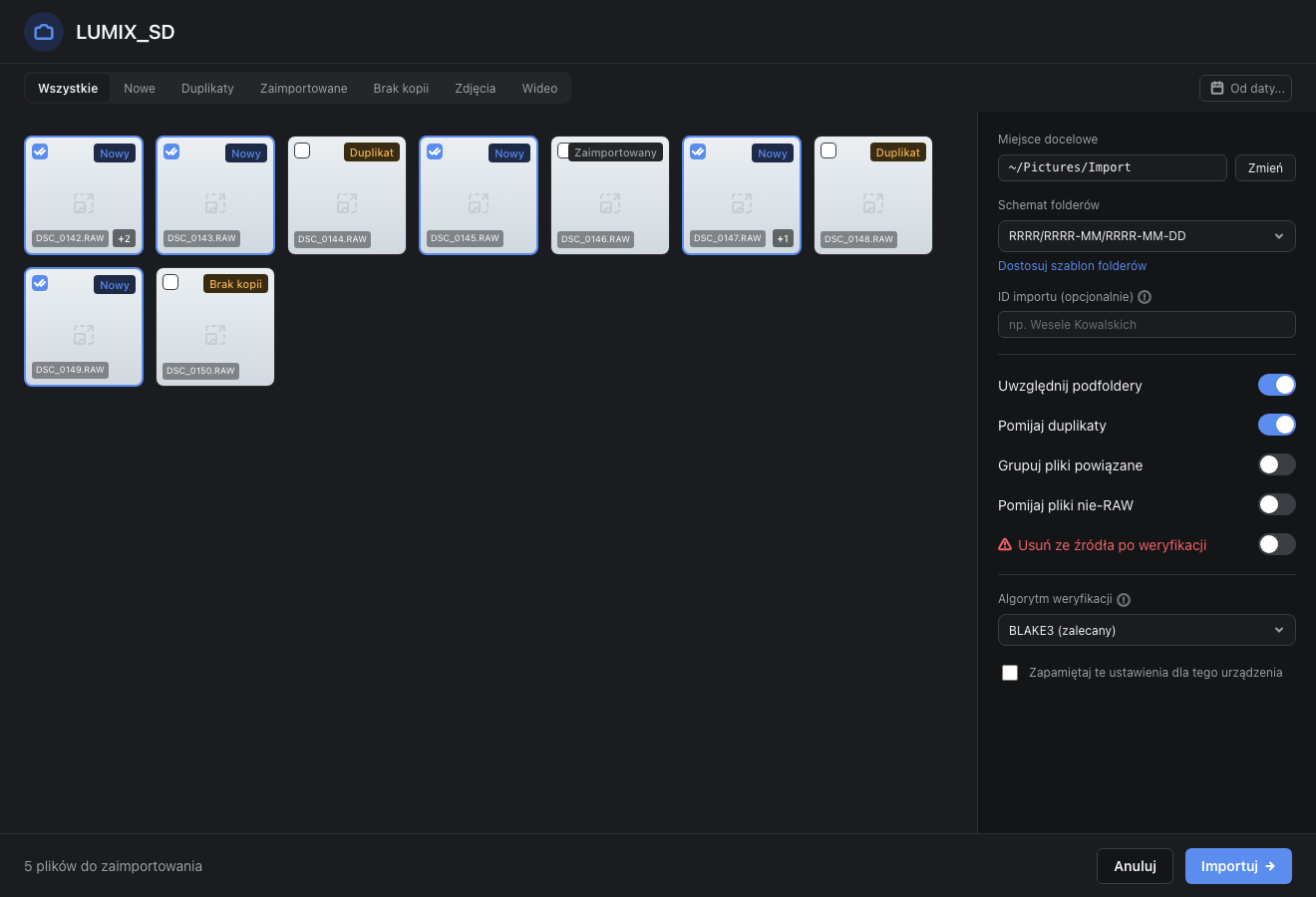
Intelligent status filtering & 5 clear file states
The thumbnail grid with filter tabs lets you examine your files before transferring. The app accurately distinguishes between already imported files and missing target copies.
| Status | Meaning |
|---|---|
| New | File has never been imported from this device before. |
| Duplicate | Identical content already exists in the destination folder. |
| Imported | File was previously copied successfully. |
| Missing Copy | History records import, but target copy was deleted manually. |
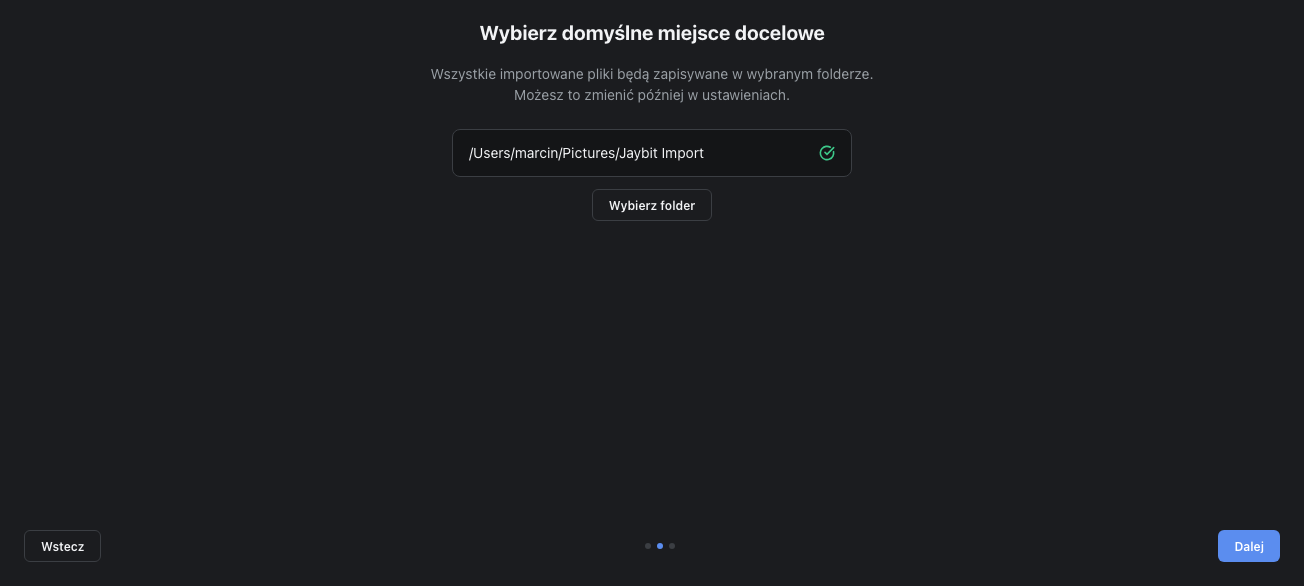
Your custom folder hierarchy built from metadata blocks
Stop manually creating `2026-08-11_Wedding` directories. Build reusable templates once, and Jaybit Copy automatically organizes your files.
- Separate templates for Photos, Video, and Audio.
- Save naming presets under custom names for easy reuse.
- Optional "Delete from source after verification" toggle to free SD space safely.
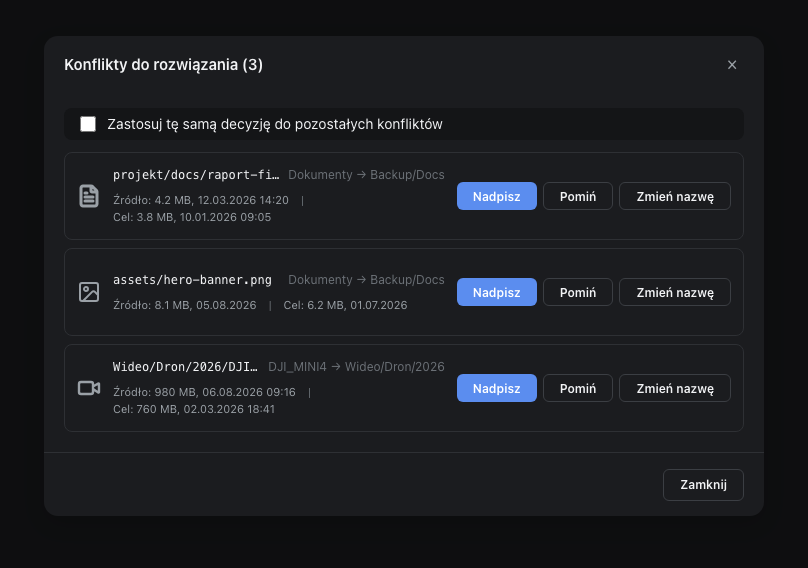
Pause, automatic retries & smart conflict handling
Transferring 128 GB of footage doesn't have to be stressful. Corrupted card sectors are retried automatically without breaking the entire queue.
- Checksum algorithms: BLAKE3 (recommended, ultra-fast), XxHash3, SHA-256, CRC32.
- Conflict resolution: Overwrite / Skip / Rename / Overwrite if newer with "Apply to all".
- Preserves original creation and modification file timestamps.
Real-time progress & post-import reports
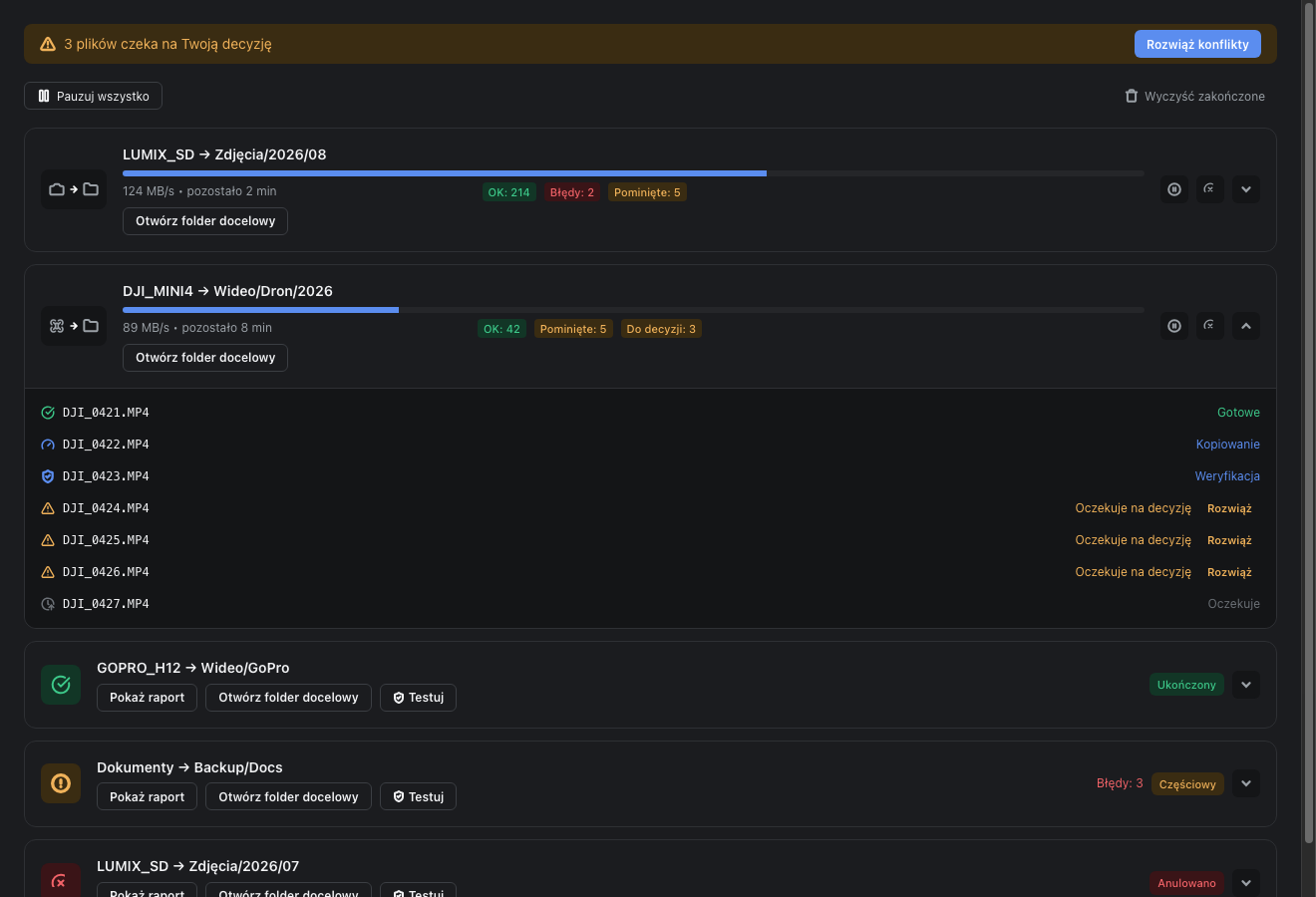
Track active transfers: live MB/s speed, completed/failed counter, and exact estimated completion time (e.g., 14:32 completion, not just "5 mins left").
- Export comprehensive reports (HTML / CSV / TXT).
- Test button — re-verify copied files on target disk using checksums.
- Unified conflict banner collecting file prompts in one place.
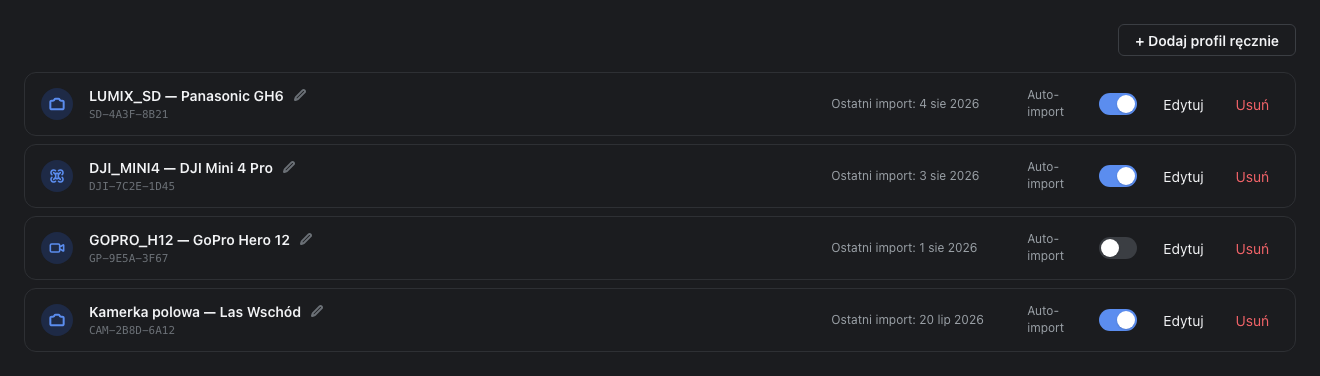
Automation for trusted hardware
Assign a custom profile to any SD card or camera. Turn on Auto-import, and the copy process starts automatically as soon as the card is inserted!
- Smart Copy — folder-to-folder copying mode with missing file synchronization.
- Full History log with single-file retry capability.
- System menu bar / tray icons with live task status.
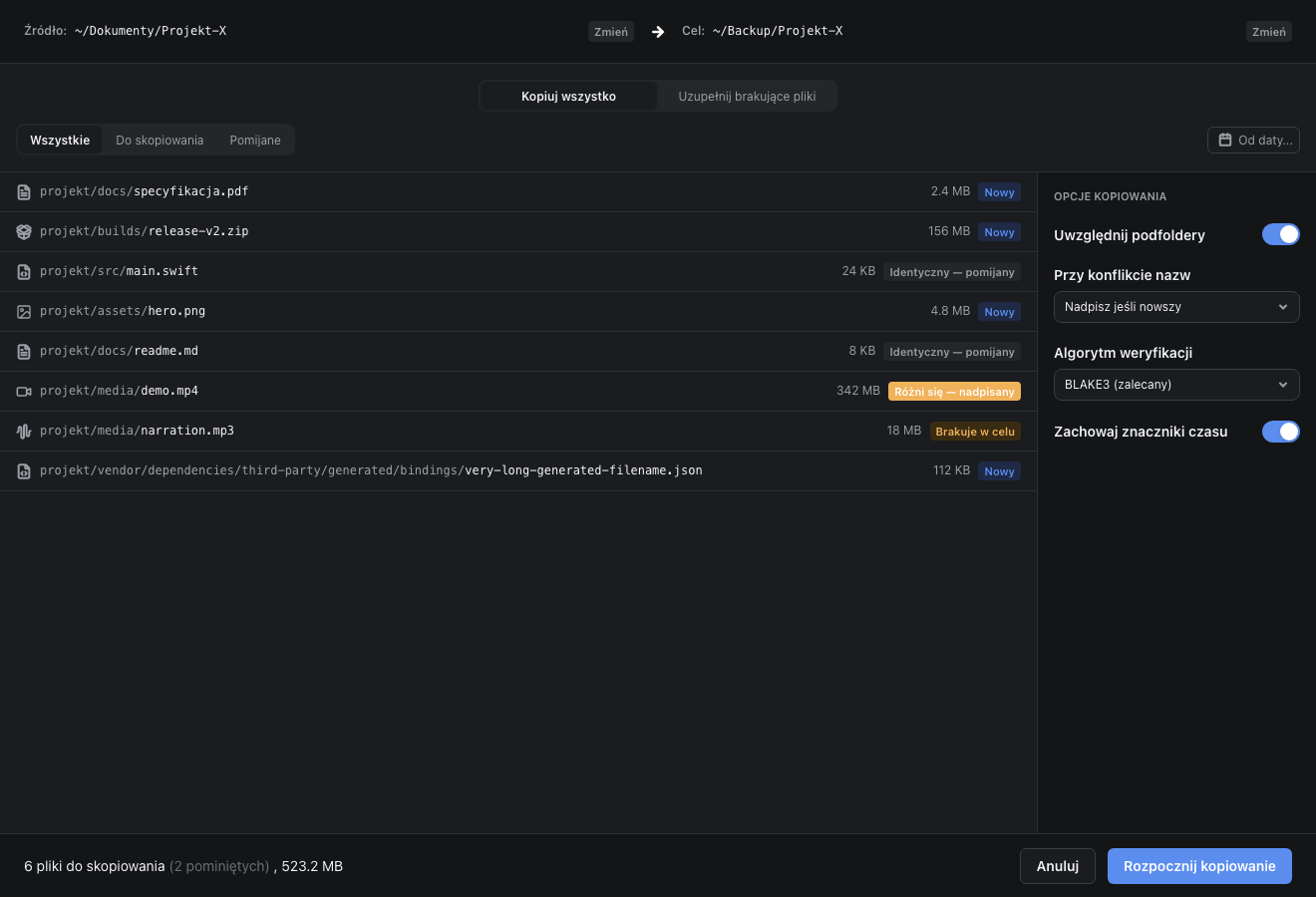
Fast folder-to-folder synchronization
Need to sync project files or backups between two SSDs? Smart Copy compares source and target directory structures, copying only missing or modified files.
- Choose "Copy All" or "Sync Missing Files".
- Preserves original file timestamps and metadata.
- Optionally generates checksum manifest files right in the target directory.
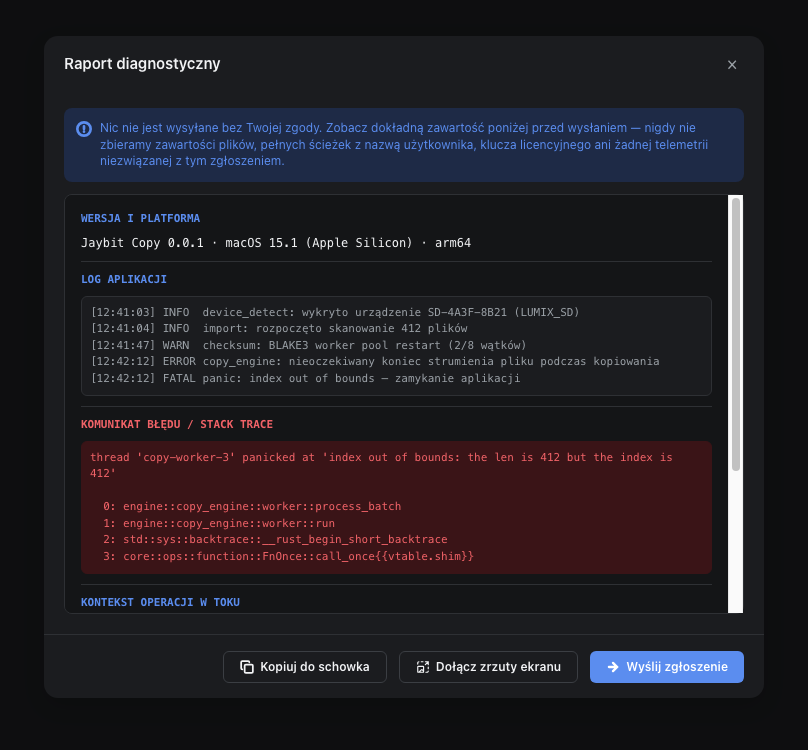
Full transparency — telemetry you control
We respect your privacy. The app never sends your file contents, file names or paths — ever. It reports anonymous crash diagnostics and transfer summaries so we can fix what actually breaks; a persistent installation identifier is attached only if you opt in. Everything can be switched off in Settings → Diagnostics. If you hit a problem, the built-in diagnostic report generator lets you preview every character before sending.
- App Sandbox on macOS (full system security compliance).
- Optionally attach up to 3 screenshots to report submissions.
- All application history and config stored in a single local database file on your disk.
Application Settings Overview
Seven focused tabs providing total control over app behavior and transfer parameters.